How an AI use case assessment works
From the first meeting to a document the client keeps.
AgentStepper follows the way consulting work already runs: meet, take notes, analyze, meet again, update.
-
Before the meeting: ask the right questions
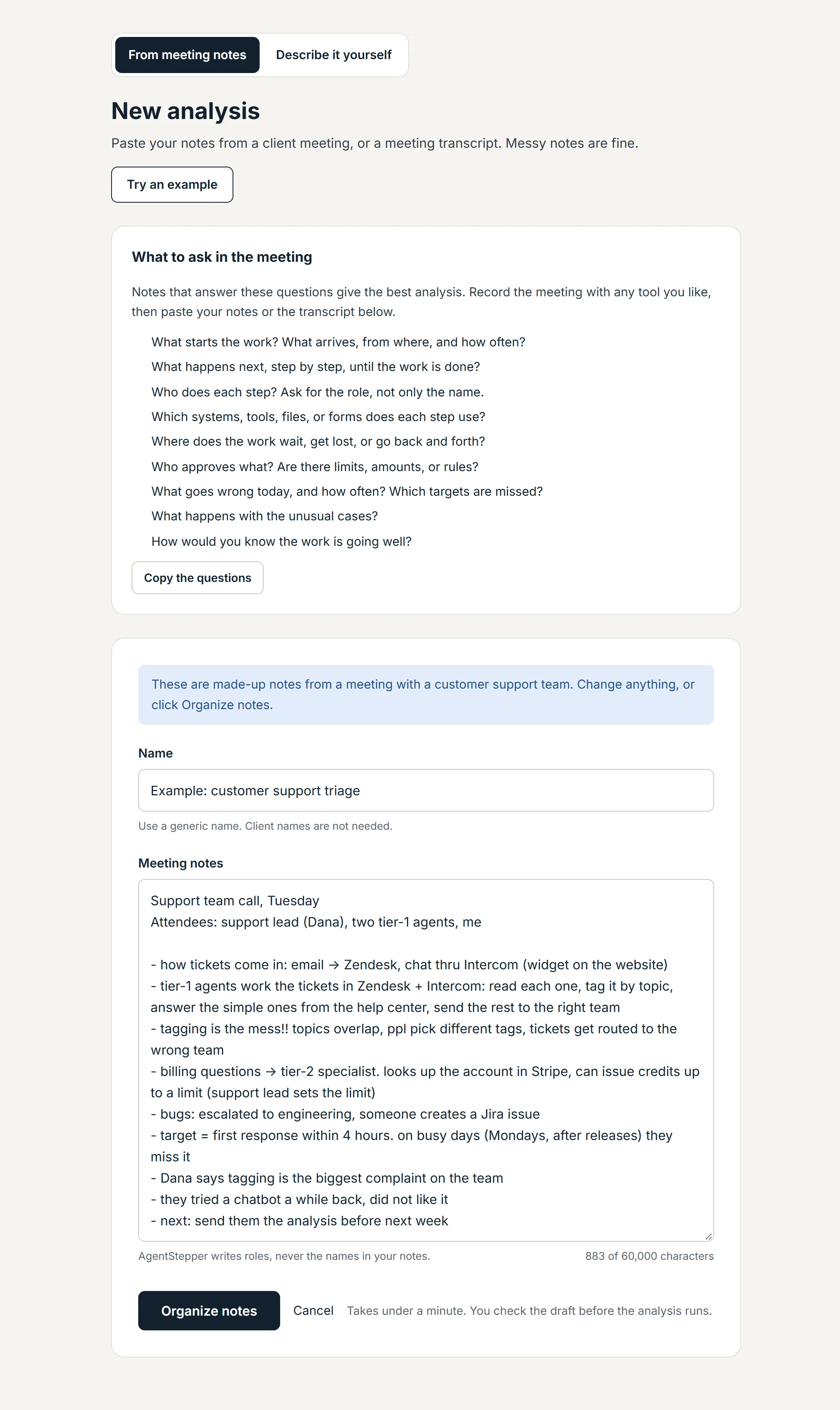
Record the meeting with any tool you like, or take notes by hand. Notes that answer these questions give the best analysis. The full list, with follow-up questions and tips, is on Meeting questions.
- What starts the work? What arrives, from where, and how often?
- What happens next, step by step, until the work is done?
- Who does each step? Ask for the role, not only the name.
- Which systems, tools, files, or forms does each step use?
- Where does the work wait, get lost, or go back and forth?
- Who approves what? Are there limits, amounts, or rules?
- What goes wrong today, and how often? Which targets are missed?
- What happens with the unusual cases?
- How would you know the work is going well?
-
Paste your notes
Messy notes, shorthand, and transcripts are fine. You can also describe the workflow in your own words instead.
-
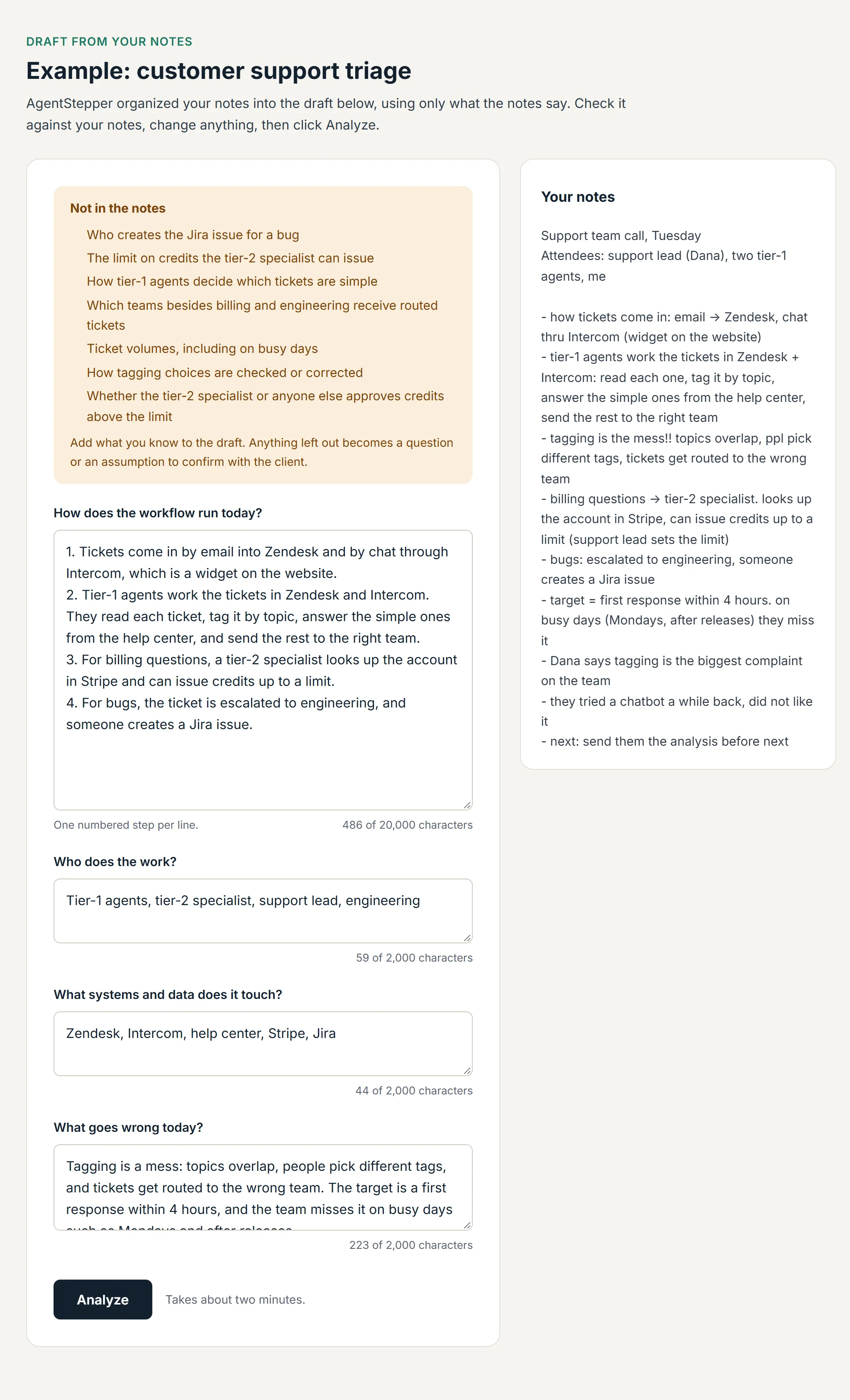
Check the draft
AgentStepper organizes the notes into a draft: the workflow as numbered steps, who does the work, the systems, and what goes wrong. It uses only what the notes say. A "Not in the notes" list shows the gaps. You edit the draft beside your original notes.
-
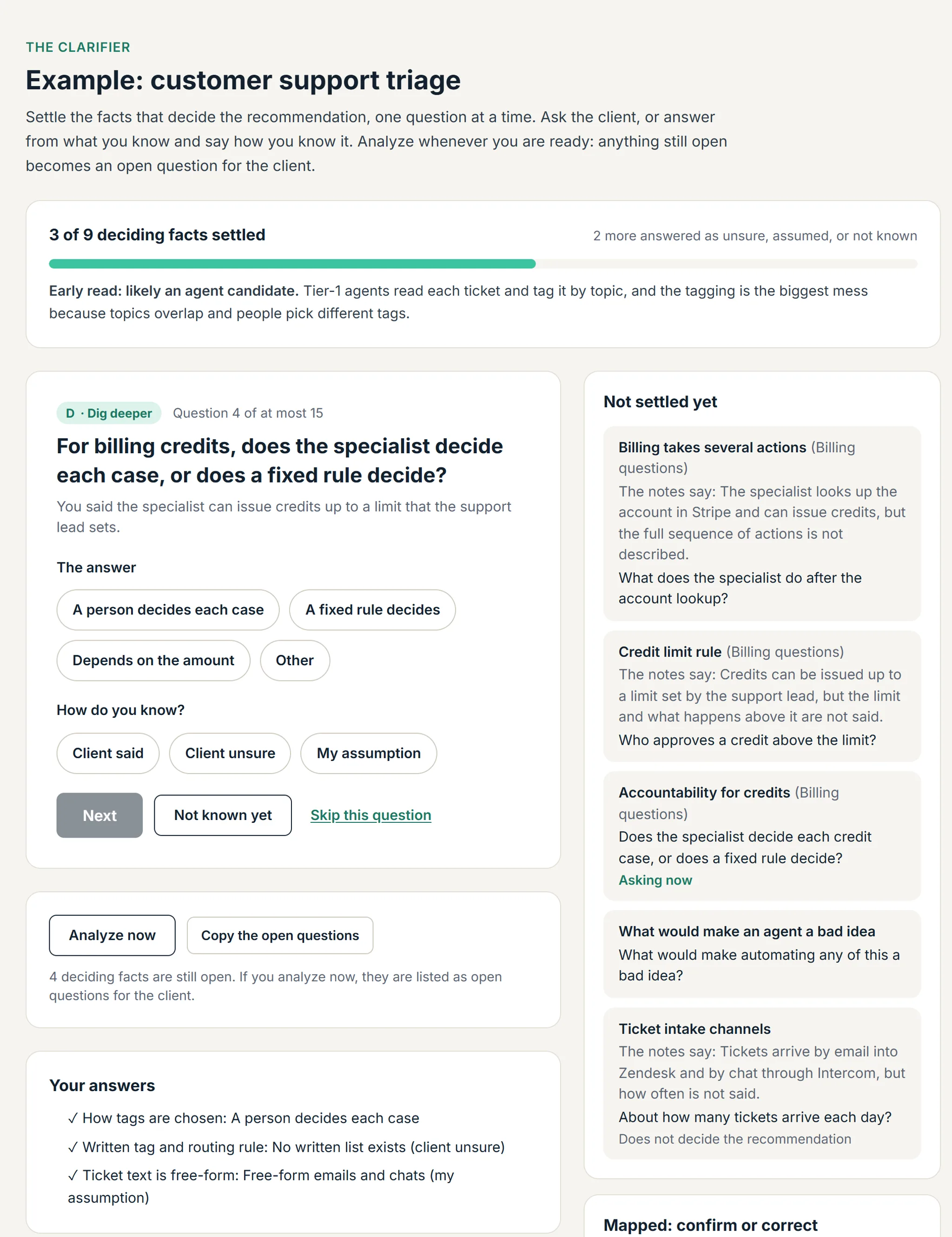
Answer the Clarifier
The Clarifier lists what the notes settle and what they do not, and asks one question at a time, each from your last answer. Pick a suggested answer or type your own, and say how you know it: the client said it, the client was unsure, or it is your assumption. A vague answer gets a sharper follow-up. Assumptions stay labeled as assumptions in the PDF. Analyze whenever you are ready; anything still open becomes a question for the client.
-
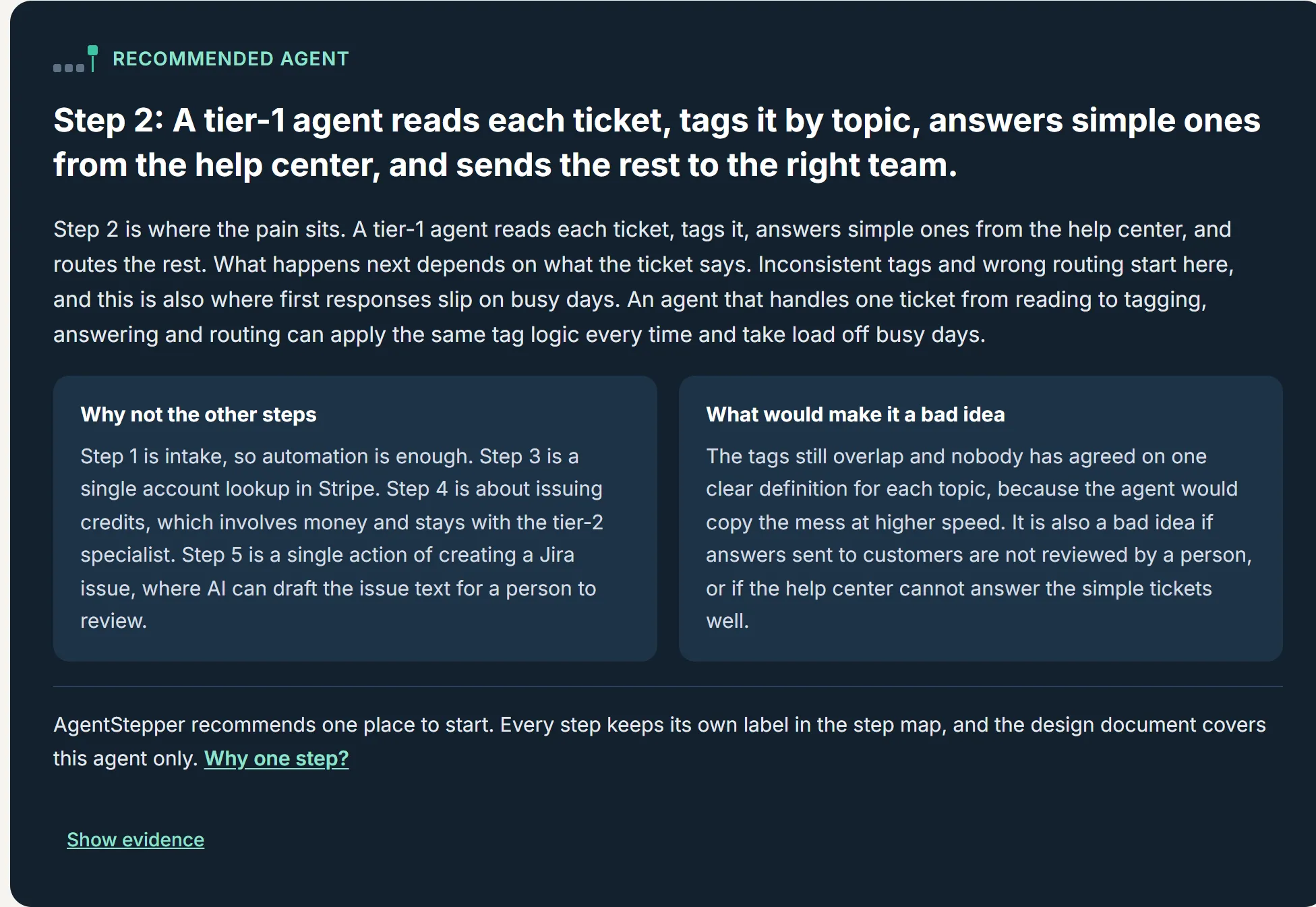
Read the analysis
Each step gets one label: Automate, AI-assisted, Agent, or Keep human, with a reason tied to your notes. AgentStepper recommends one place to start, explains why it beats the other steps, and says what would make it a bad idea. One agent is easier to prove, and the next one comes after the first runs reliably.
-
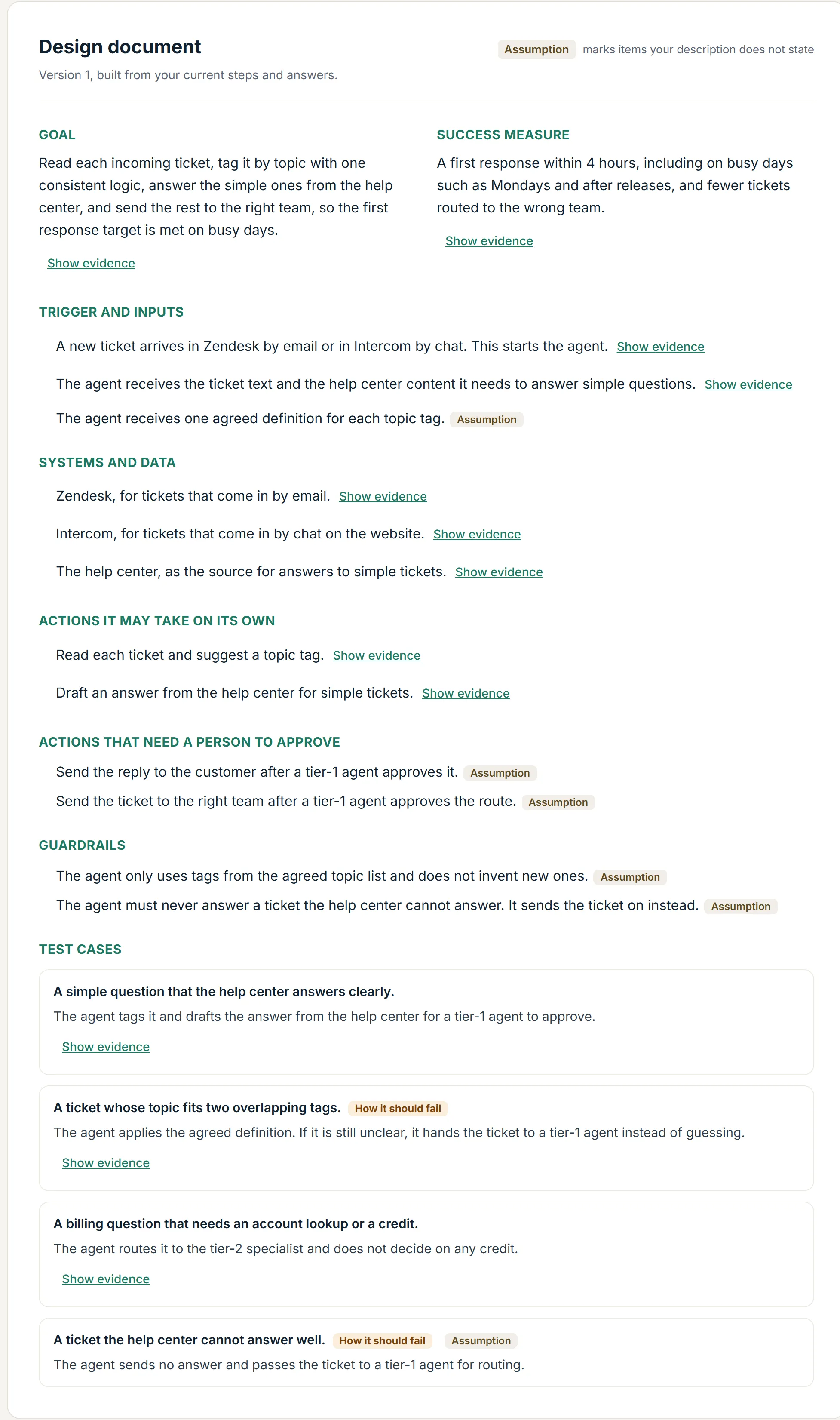
Review the design document
A short document for the recommended agent: its goal and success measure, what starts it, the systems it connects to, what it may do on its own and what needs a person's approval, its guardrails, and test cases. Anything the notes do not state is labeled as an assumption.
-
Meet again, then update
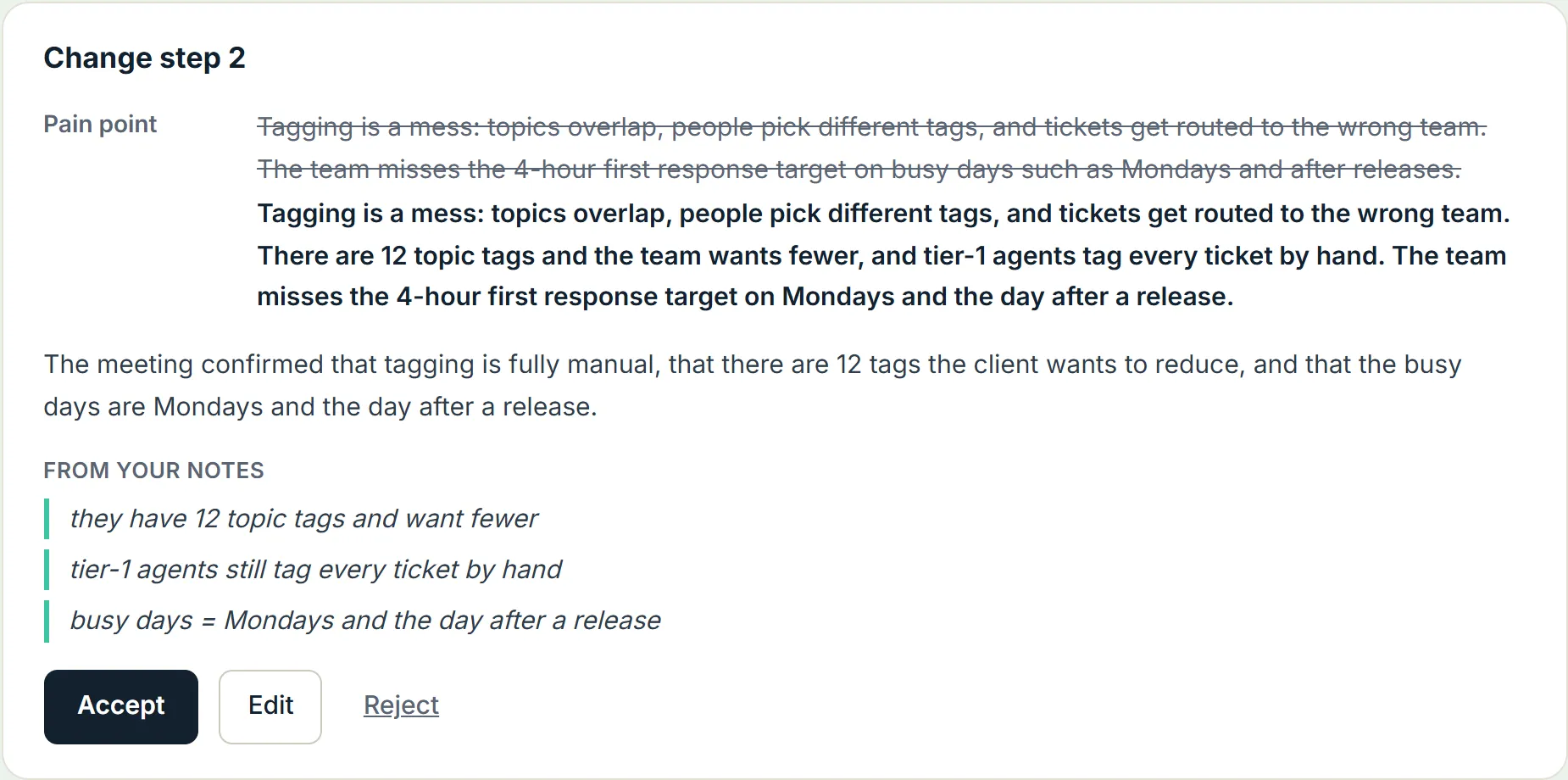
The questions to confirm with the client become your agenda, ready to copy. Take notes in AgentStepper during the meeting, or paste them after. AgentStepper suggests changes, each with the words from your notes behind it. You accept, edit, or reject each one. Confirmed answers flow into the next version of the document.
-
Hand over the AI Fit Assessment
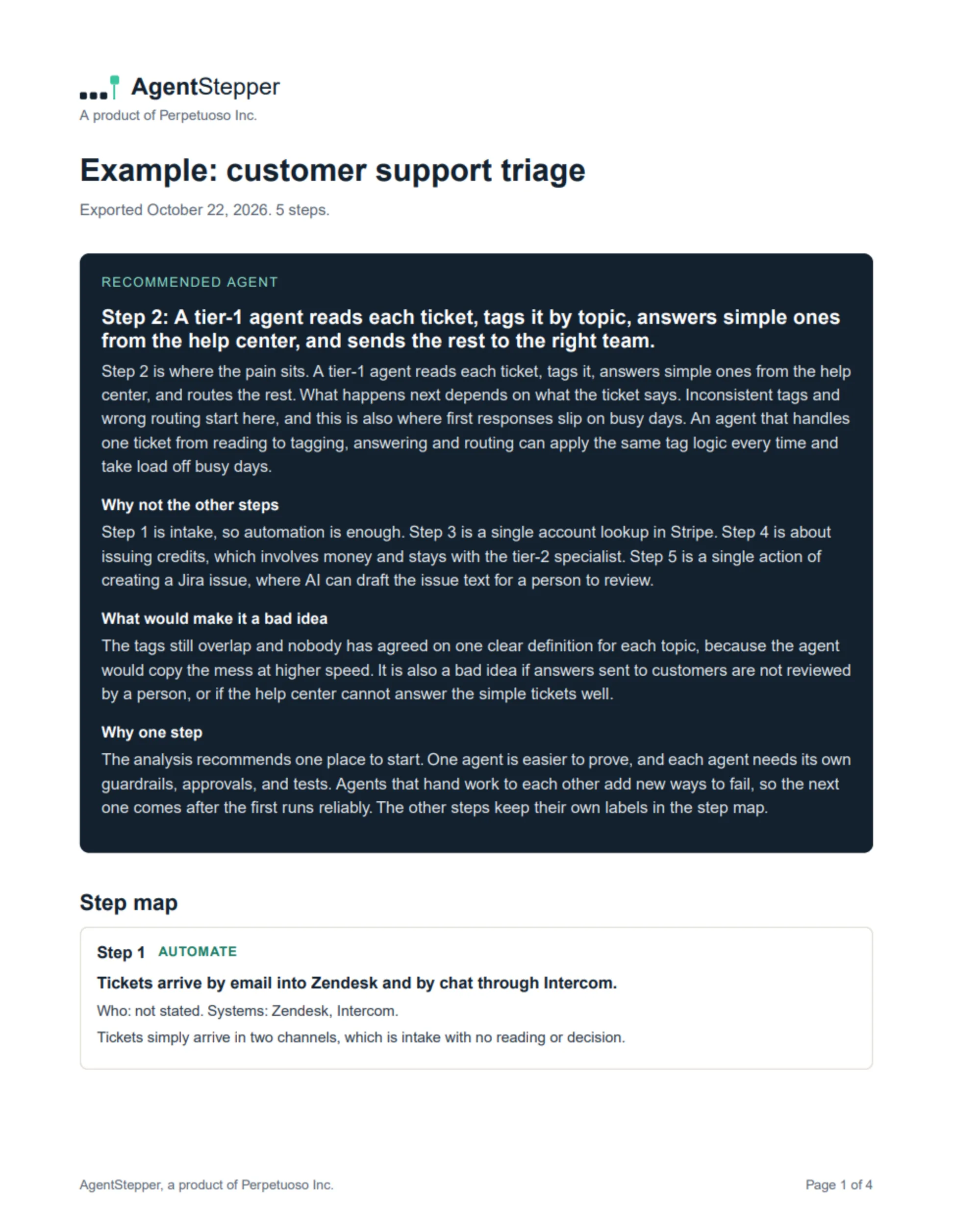
Download the AI Fit Assessment, a clean PDF with the recommendation, the step map, the design document, and what is confirmed and still open.
What AgentStepper does not do
- It does not invent systems, numbers, or people. Anything it needs (but the notes do not say) becomes a question.
- It does not change your work without your approval.
- It does not build the agent. It tells you which one to build first and how it should behave.